Hybrid events this autumn can give your organisation greater flexibility when bringing people together. You can host delegates in person while allowing colleagues, speakers or attendees from other locations to participate online. For businesses working across multiple locations, this can increase access to an event without losing the value of meeting face to face.
A good hybrid event, however, requires more than placing a laptop at the front of a meeting room. You need to think about sound, cameras, presentations, audience interaction and the experience of people attending remotely.
If you are planning a hybrid conference or meeting at Meet in DCU this autumn, these tips can help you prepare.
Decide How Hybrid Your Event Will Be
The term hybrid can mean different things.
You might have one remote speaker joining an otherwise traditional conference.
You might have 50 people in the room and another 50 watching online.
Some events may only stream the keynote sessions, while others allow remote delegates to take part throughout the entire programme.
Decide what your event needs before thinking about equipment.
Once you understand how people will participate, you can choose a room and technical setup that supports it.
Choose a Suitable Event Space
Hybrid events place different demands on a room.
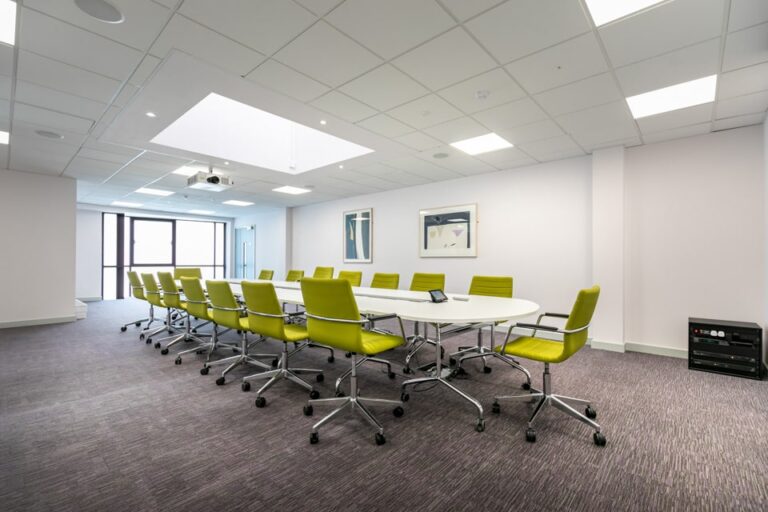
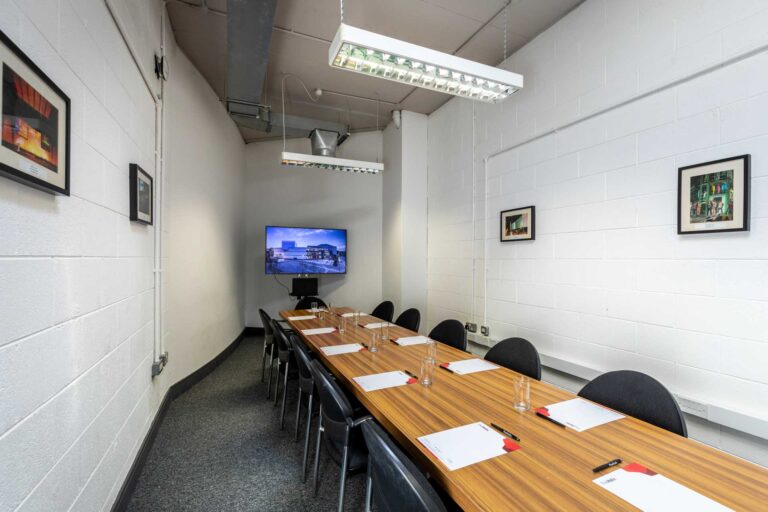
Think about where the presenter will stand, where your screens will be located and what your camera needs to capture.
If remote attendees need to see the audience, the camera position becomes particularly important.
You also need to think about how people in the room will view remote speakers.
A suitable conference space should allow both audiences to participate without the technology becoming a distraction.
Discuss your plans with the venue team so they understand how the event will work.
Focus on Sound
People will tolerate slightly imperfect video much more easily than poor sound.
If remote delegates cannot hear a speaker, they cannot participate properly in the event.
Think about microphones for speakers as well as audience questions.
During question and answer sessions, someone speaking from the back of a large room may be impossible for remote attendees to hear without a microphone.
You also need to consider speakers joining online. Their sound needs to be clear enough for people in the room.
Test these elements before the event.
Run a Technical Test
Never rely on everything working without a test.
Arrange time before the event to check screens, microphones, laptops, presentation files and video conferencing software.
If you have remote speakers, invite them to a test call.
Ask them to join using the same equipment they plan to use on the day.
Confirm that they can hear you, that you can hear them and that screen sharing works.
Testing can also reveal small issues such as an incompatible presentation format before they become a problem during the event.
Have Someone Manage the Online Audience
Your presenter should not have to deliver a speech while also watching online comments and dealing with people who cannot connect.
Assign another person to look after remote attendees.
They can monitor questions, admit participants, share useful information and communicate any technical issues to the team.
They can also act as the main contact for remote speakers.
This helps keep the main presentation focused while still giving online attendees someone to communicate with.
Include Both Audiences
Remote delegates should feel like participants rather than viewers.
Give them opportunities to ask questions and contribute to discussions.
If you run polls, make them available to both groups.
During question sessions, include questions from the online audience as well as the room.
Speakers can also acknowledge the remote audience when beginning their session.
These small changes can help create one event rather than two separate experiences.
Brief Every Speaker
Your speakers need to know that they are presenting to both an in person and online audience.
Tell them how remote questions will be handled.
Explain where cameras are positioned and where online attendees will appear.
If they are presenting slides, confirm whether they or another member of the team will control them.
Remote speakers should receive joining details in advance.
Give them a direct contact number too, so they have another way to reach the event team if their connection fails.
Keep Presentations Focused
Long presentations can be difficult for any audience, but they can be particularly demanding for people watching online.
Consider breaking longer programmes into shorter sessions.
Include discussion, questions or practical elements where suitable.
Different speakers can also help maintain attention throughout a full day.
Your programme should have a clear structure so attendees know when sessions start and when breaks take place.
Build in Regular Breaks
Hybrid conferences should include proper breaks.
People sitting in a room need a chance to stand up, get coffee and talk.
Remote attendees also need time away from their screens.
Clearly state when the event will restart after each break.
If online delegates do not know the restart time, they may return late and miss part of the next presentation.
Keep breaks realistic rather than trying to shorten them to squeeze more content into the day.
Prepare for Technical Problems
Even a well planned hybrid event can experience a technical issue.
A remote speaker could lose internet access. A laptop might need to restart. A presentation might fail to open.
Have backups for the most important parts of your event.
Keep copies of presentations on more than one device.
Ask remote speakers to send you their slides in advance.
Have alternative contact details for key people.
A basic backup plan can prevent a small technical problem from disrupting the entire programme.
Follow Up With Both Groups
After the event, send follow up information to everyone who attended.
You might include presentations, useful links or information about the next event.
You can also ask for feedback.
Consider asking separate questions about the hybrid experience.
Did remote attendees hear everything clearly?
Did they feel included?
Did in person attendees find the technology distracting?
This feedback can help you make the next hybrid event stronger.
Host Your Hybrid Event With Meet in DCU
Hosting hybrid events this autumn requires careful planning, but the format can give your organisation more flexibility and help people participate from different locations.
Meet in DCU offers meeting and conference spaces at Dublin City University for professional events, presentations, workshops and conferences.
By discussing your hybrid requirements early, you can plan the room, technology and schedule around both your in person and remote audiences.
If you are preparing a hybrid business event in Dublin this autumn, contact Meet in DCU to discuss your plans.